Outdated
Old themes, abandoned plugins and stale WordPress installs create predictable entry points for automated attacks.
Malware Shield WP scans your site for malware, filters malicious traffic through cloud-managed firewall rules, and keeps watch around the clock from one professional SaaS dashboard. Every plan includes license tracking, live status, and reports you can hand straight to a client.
Anyone can download the plugin. Activation, premium modules and protected updates require an active subscription/license.
scan /wp-content/uploads
detect suspicious_php_shell
quarantine risky_file.php
license status: active
secure update: ready
WordPress powers millions of websites, so attackers automate scans for weak points that repeat: old plugins, forgotten admin panels, public upload folders and unfiltered requests.
Old themes, abandoned plugins and stale WordPress installs create predictable entry points for automated attacks.
Malware often hides in uploads, cron jobs, database content and modified core files long before anyone notices.
Login abuse, suspicious file uploads and malicious request patterns need active filtering, not just a once-a-month scan.
Scan uploads, review risky PHP files, verify your license, enable request protection, and keep updates moving through a trusted delivery path.
Malware Shield WP is shaped for solo site owners, stores, developers and agencies that need client-ready security visibility.
Keep a personal or business site protected without learning a complicated security stack.
Monitor malware risk and malicious traffic where checkout trust matters every day.
Scan, clean, migrate and report with a workflow that is easy to explain to clients.
Manage licenses, active sites, reports, tickets and protected updates from one SaaS dashboard.
Malware Shield WP is designed so customers can see what is installed, which license is active, when the plugin expires, what the latest report found, and how support is handling every request. That transparency makes the platform easier to trust and easier to operate.
Scanner, upload protection, quarantine workflow, licensed updates and reporting are organized from one SaaS dashboard.
Scanning is only the first layer. Real protection needs detection, cleanup controls, filtering, updates, monitoring and a dashboard that clients can understand.
Detect risky PHP files, suspicious signatures, modified files and common hacked WordPress patterns.
Deliver new plugin releases from your SaaS server only after license and subscription checks pass.
Manage request filters and malware signatures centrally so customers stay protected from new patterns.
Review online, stale and offline plugin heartbeats, security scores, findings and protection status.
Customers can view licenses, protected sites, expiry information, tickets and account notifications.
Ticket conversations include dashboard notifications, email delivery logs, priority and status workflows.
Clients submit license migration requests and the administrator approves or rejects each move safely.
Review security score, active findings, ignored-safe items, monitoring history and client-ready reports.
Admin and client dashboards include topbar ticket, message and notification controls.
Uploaded shell files, spam injections, risky PHP patterns, database malware, hidden redirects, and malicious login traffic. The toolkit is designed for discovery, review and cleanup instead of vague warnings.
Customers can download the plugin, but premium modules and server updates work only after valid activation. Your SaaS dashboard controls packages, active sites, expiry dates and update delivery.
The public ZIP makes installation easy, but your SaaS dashboard decides what becomes active: license status, site limit, package access, expiry dates and secure update delivery.
The SaaS dashboard keeps security operations readable for non-technical clients while still giving administrators the controls they need for licenses, sites, packages and support.
Protection is not only inside the WordPress plugin. The SaaS layer also controls access, delivery, support history and license decisions.
Every activation is tied to a client, package, status, expiry date and allowed website count.
Plugin packages are selected from the server and delivered only through controlled release settings.
Email verification, client login and admin roles keep portal access organized and accountable.
Tickets, messages and notifications keep cleanup requests visible instead of disappearing into chat history.
Current live package: 15.4.27
Download Latest ZIPA valid subscription is required to activate the plugin and receive licensed updates.
A simple workflow for agencies, developers and site owners.
Download the latest ZIP and install it on the WordPress website.
Use a valid subscription key to unlock Pro cleanup and protection modules.
Scan files, database and pages, then review suspicious items safely.
Quarantine malware, enable request protection and receive reports.
Client logos are managed from the admin dashboard, and the slider display count is fully configurable.
10 published review(s), average rating 4.9/5.
Choose a plan from the homepage or open the full pricing page for comparison and plan details.
Most WordPress security plugins are a single tool running on your server. If you're comparing Wordfence, Sucuri, or MalCare, here's where a dashboard-first approach makes a practical difference.
| Capability | Malware Shield WP | Wordfence | Sucuri | MalCare |
|---|---|---|---|---|
| Malware & database scanning | ✓ | ✓ | partial | ✓ |
| Cloud-managed firewall rules | ✓ | local rules | ✓ | ✓ |
| Client / agency license dashboard | ✓ | - | - | partial |
| Ticketed support with delivery logs | ✓ | premium only | premium only | premium only |
| Client-ready security reports | ✓ | - | partial | partial |
| Free plugin download | ✓ | ✓ | ✓ | limited |
Get a custom package for WordPress malware cleanup, firewall setup, cloud signatures, subscription licensing, secure update delivery, reporting and priority support.
Guides and product notes from the Malware Shield WP team.
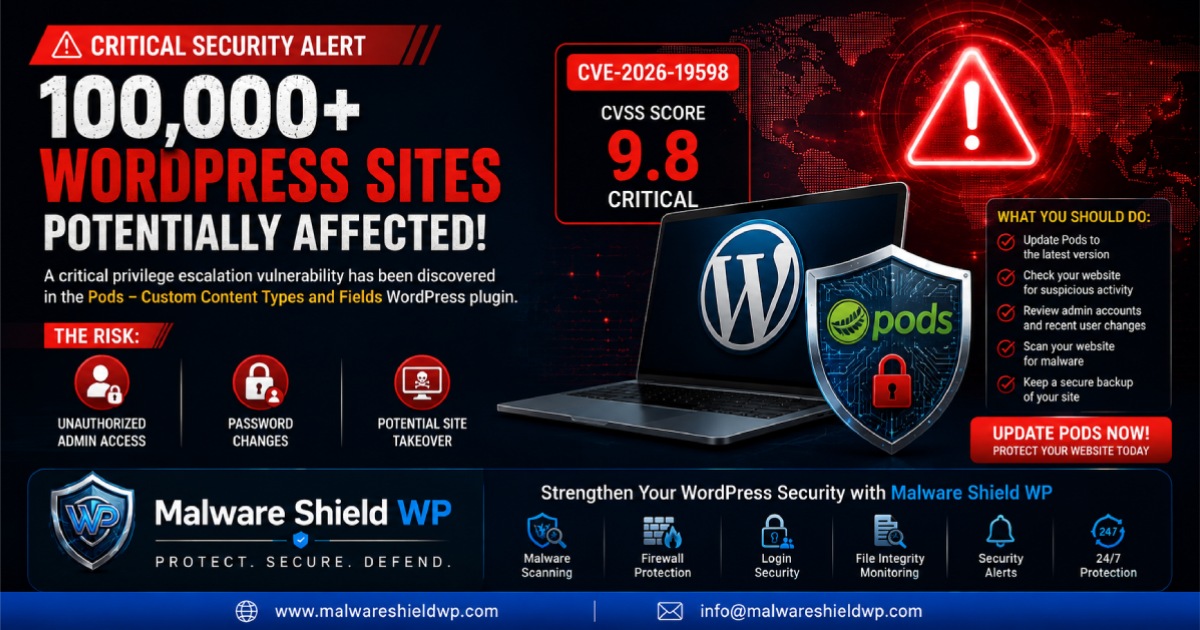 Security article: Critical Pods WordPress Plugin Vulnerability Puts 100,000+ Sites at Risk
A critical privilege escalation vulnerability tracked as CVE-2026-19598 has been disclosed in the popular Pods WordPress plugin. With a CVSS score of 9.8, vulnerable installations could potentially allow unauthenticated attackers to gain administrator-level access.
Read Article Security article: Complete WordPress Security Solution | Malware Shield WP
Managing multiple security plugins can be complicated and inefficient. Discover how Malware Shield WP combines malware protection, firewall security, login protection, and real-time monitoring into one complete WordPress security solution.
Read Article Security article: Complete WordPress Security Protection | Secure Your Website with Malware Shield WP
Your website deserves more than basic protection. Discover how Malware Shield WP combines malware scanning, firewall protection, login security, and real-time monitoring into one powerful WordPress security solution.
Read Article